Some script for project documentation
There are various scripts for creating documentation for projects within semi-ate:
createFlow [-h] [–path PATH] –project PROJECT –version VERSION [–hw HW] [–base BASE] [–target TARGET] [–group GROUP] [–name NAME]
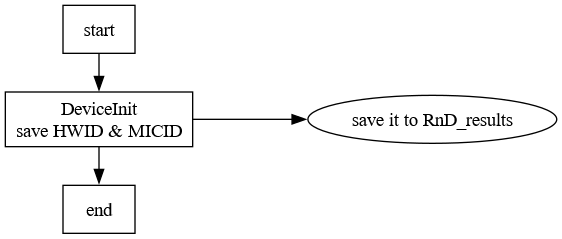
Creates a graphical representation from a flow of Semi-Ate, with comments taken from the description of the individual tests.

Various tags are available for formatting:
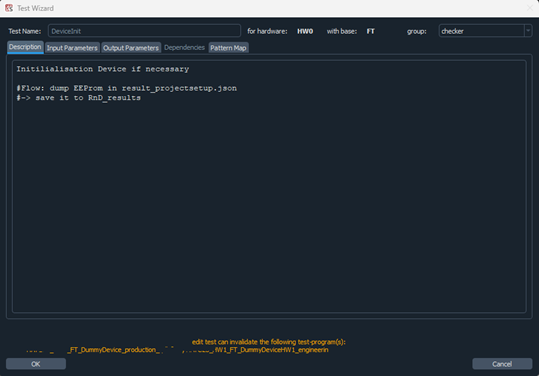
    “#Flow:”     Instead of the general description, the string after the tag
                 is used.
                 If additional lines are used, they must be indented.
    "#->"        The string is displayed in a separate node, which is
                 arranged horizontally to the previous box.
                 The Tag "#Flow:" must have been used previously.
    ":"          indicates a summary of tests. The 'test name' is the string
                 between #flow and the :.
Example:
and the generated png: